How to Replace a Samsung Refrigerator Water Filter
 Andrew
October 21, 2026
#fridgefilter
#how-to
#refrigeratorwaterfilter
#replacementfilters
#samsung
Andrew
October 21, 2026
#fridgefilter
#how-to
#refrigeratorwaterfilter
#replacementfilters
#samsung
- Shut off the water (select models), turn the old filter counterclockwise to unlock it, then insert the new one and turn clockwise until it locks.
- Filter location and lock alignment vary by model, so confirm your current filter’s model number before you start.
- After installing, reset the indicator, check for leaks, and flush the new filter. Samsung recommends replacing it every six months.
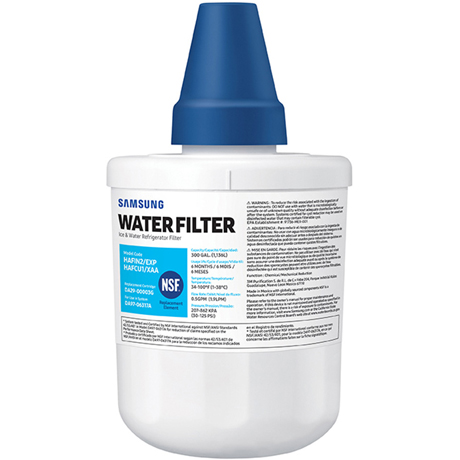
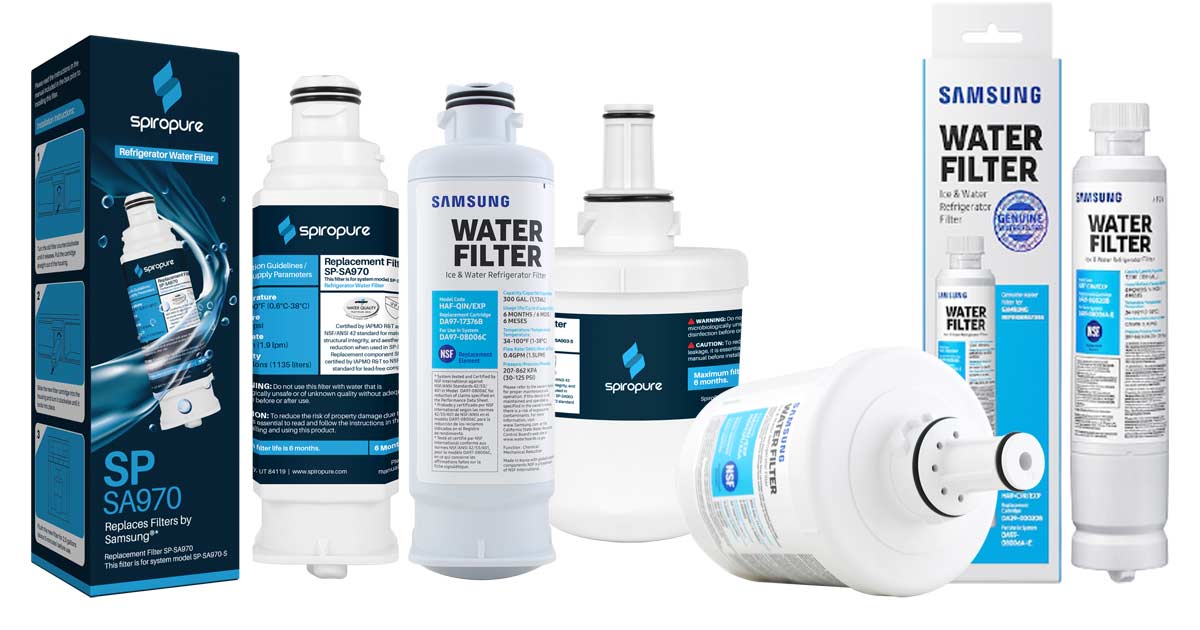
Samsung DA29-00003G / HAFCU1/XAA Refrigerator Water Filter
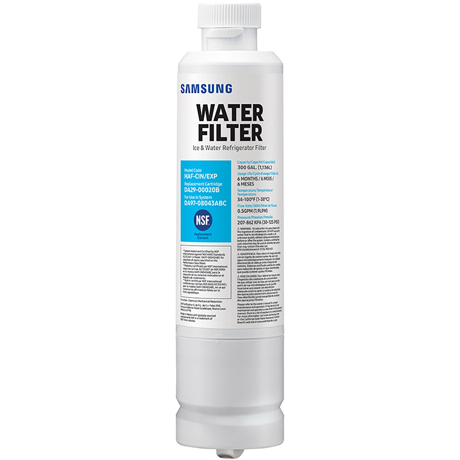
Samsung DA29-00020B / HAF-CIN/EXP Refrigerator Water Filter
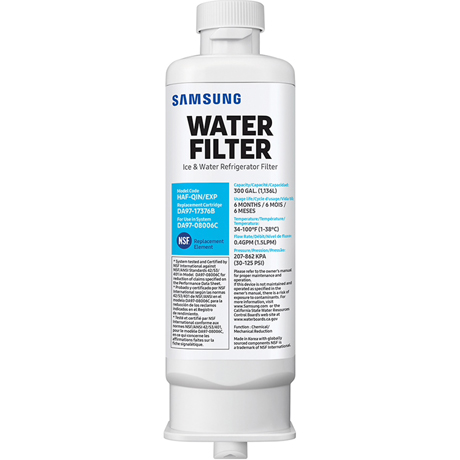
Samsung DA97-17376B / HAF-QIN Ice and Water Refrigerator Filter
How to Replace a Samsung Refrigerator Water Filter Step by Step
Quick Answer: How Do You Replace a Samsung Refrigerator Water Filter?
Shut off the water supply, turn the old filter counterclockwise to unlock it, and pull it out. Insert the new filter and turn it clockwise until it locks, then reset the indicator, turn the water back on, check for leaks, and flush. Exact steps vary by model.
Not sure how to replace your Samsung water filter? A few standard steps apply, though some vary by model, so check your manual if yours looks different. If your filter light has turned red or a similar alert appears, it's time. Samsung recommends replacing the filter every six months.
- Turn off the water supply
- Locate and remove the old filter
- Prepare the new filter
- Install and lock the new filter
- Reset the filter indicator
- Turn the water back on and check for leaks
- Flush the new filter
Step 1: Turn Off the Water Supply and Release the Pressure
Samsung's US instructions begin by shutting off the water supply to the refrigerator. The valve is often under the sink, behind the fridge, or under the house, and valve types vary. Dispense water until the flow stops to relieve pressure. A few models' instructions skip this step, so read yours first.
Step 2: Locate and Remove the Old Samsung Water Filter
Location varies by model: the upper right corner inside the fridge, between or near the crisper drawers, or an external filter on the water line behind the unit. Open the cover if there is one, turn the old cartridge counterclockwise (usually a quarter turn), and pull it straight out. The Samsung DA29-00003G is in the upper right corner and requires pulling the filter down out of the socket. Check your box’s instructions if the mechanism looks different.
Step 3: Prepare the New Samsung Refrigerator Water Filter
Confirm the new filter matches the old one's model number or your refrigerator's requirements, since Samsung uses several cartridge types. Remove the protective cap and any packaging. Buying genuine? Check the packaging for Samsung's authenticity check before installing. Some models provide a tag and magnet to do this. Compatible SpiroPure filters are made to OEM specifications, with certification to NSF standards, at a lower price.
Step 4: Install and Lock the New Water Filter
Insert the filter and turn it clockwise until it locks. On HAF-CIN and HAF-QIN filters, the LOCK symbol on the cap should line up with the indicator line on the compartment. HAFCU1 filters twist right until the notch lines up with the arrow on the housing. Don't force or overtighten.
Step 5: Reset the Samsung Water Filter Indicator
Reset the indicator now, while the water is still off. On most models, hold the Filter Reset button for 3 seconds. Some are labeled Alarm, Water Filter, or Ice/Water or there might be a symbol. Others use a button combination or a menu, like the Family Hub Fridge Manager mobile application or “app” so you can check this step off from the comfort of your phone. Our Samsung filter reset guide covers model-specific steps.
Step 6: Turn the Water Back On and Check for Leaks
Turn the water supply back on when applicable and check the housing and surrounding area for drips. If it leaks, confirm the cartridge is fully seated and the lock lines up rather than forcing or overtightening it. Samsung's troubleshooting guides suggest inspecting the filter and housing when leaks occur.
Step 7: Flush the New Samsung Water Filter
Dispense and discard water to clear air and loose material from the system. Use a large container. Samsung's guidance varies, from a noticeably specific 7 minutes of dispensing to 2–3 gallons (as with SpiroPure models), so follow the instructions for the filter in your hand.
How to Find the Right Replacement Filter for Your Samsung Refrigerator
Don't choose a filter by appearance alone. Many filters look alike. But slight variations in connections and locking tabs will prevent filters from fitting. Samsung uses several cartridge types, so verify your refrigerator's model number or the part number printed on your current cartridge. Samsung's support pages say the same: check the model number on your old filter to see which type you need. HAF-CIN, HAF-QIN, and HAFCU1 are common examples, though yours may differ. Browse compatible options for your fridge among our Samsung water filters.
All Filters offers both Samsung OEM and compatible SpiroPure options across multiple Samsung filter and refrigerator models, so you can choose the genuine part or a lower-priced alternative made to OEM specifications.
FAQs on How to Replace a Samsung Refrigerator Water Filter
How do I replace a Samsung water filter?
Can you replace a Samsung water filter without turning off water?
How often should I replace my Samsung refrigerator water filter?
Do I need to turn off the water before changing a Samsung refrigerator filter?
Where is the water filter located in a Samsung refrigerator?
RELATED PRODUCTS
SpiroPure SP-SA003 Samsung DA29-00003G Compatible Refrigerator Water Filter
List Price: $25.90
Our Price: $12.95
Save: $12.95
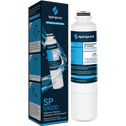
SpiroPure SP-SA020 Samsung DA29-00020B Compatible Refrigerator Water Filter
List Price: $25.90
Our Price: $12.95
Save: $12.95
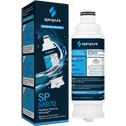
SpiroPure SP-SA970 Samsung DA97-17376B Compatible Refrigerator Water Filter
List Price: $25.90
Our Price: $12.95
Save: $12.95